Travel agent website: how to present trips so people enquire
How to build a travel agent website that gets enquiries: day-by-day itineraries, departures, inclusions, reviews, trust signals and an enquiry form per trip.
· 5 min read
A travel agent website has one job: help someone picture the trip clearly enough that they want to ask you about it. For independent travel agents and tour guides, that means showing real trips with real detail, not a homepage of beach photos and a phone number.
This guide covers how to present a trip so people trust it: the itinerary, departures, what is and is not included, reviews, photos and an enquiry form for each trip. It ends with the mistakes that most often make people close the tab.
What a travel agent website needs
Before the details, the overall shape. A small travel business does not need dozens of pages. It needs these, in roughly this order:
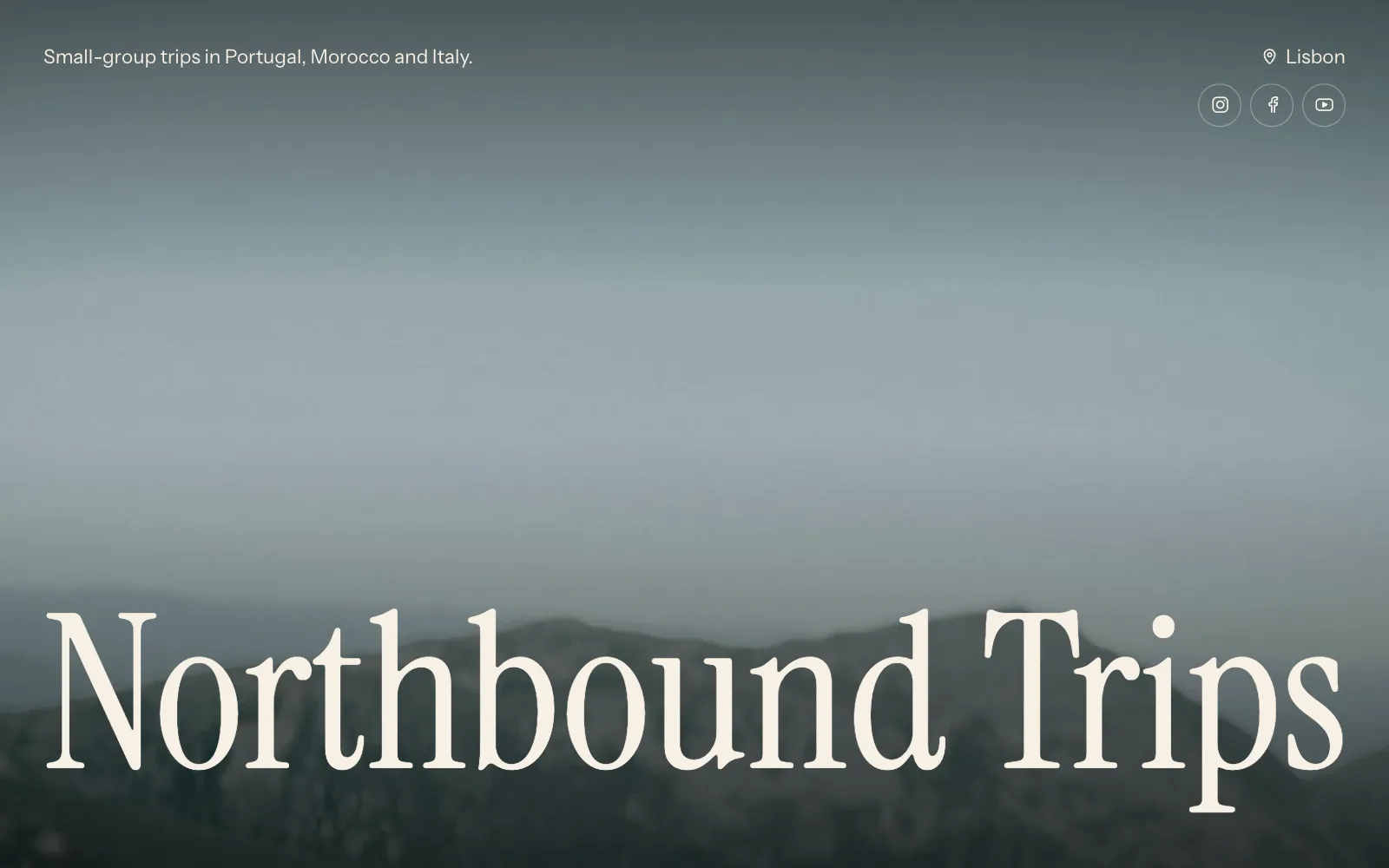
- A cover with one strong photo, your name or brand, and a line on what kind of trips you run.
- Your trips, each with its own itinerary, dates, price and inclusions.
- Reviews from people who have travelled with you.
- About you: who leads the trips or plans them, and why you know the places.
- A way to enquire, close to every trip.
- Contact and social links in the footer.
If you only run two or three trips a year, they can all live on one page. That is often better: people scroll, compare and enquire without clicking around.
Day-by-day itineraries
The itinerary is what people read most carefully, and often more than once. A clear day-by-day breakdown answers questions before they are asked.
For each day, give:
- A short title: “Day 3: Kotor to Durmitor”.
- Two or three sentences on what happens, written for the traveller, not as notes for yourself.
- Where people sleep, and which meals are included.
- Travel time or walking distance if it is a long day.
Keep free time visible. Travellers like to know when they can rest or explore on their own, and it is a sign the trip is not overpacked.
Departures, prices and group size
After “what will we do”, the next questions are “when” and “how much”. Answer them on the trip itself, not in a separate price list.
- Departure dates with start and end dates, and how many places are left if that is true and up to date.
- Price per person, and whether it is based on sharing a room. Note any single supplement.
- Group size, minimum and maximum.
- Difficulty or pace, especially for walking or active trips.
- Meeting point and where the trip ends.
If a departure is full, say so rather than removing it. A full trip shows that people book with you, and you can point them to the next date.
What’s included, and what isn’t
This list prevents more arguments than anything else on your site. Be specific on both sides.
| Included | Not included |
|---|---|
| 7 nights in guesthouses, shared twin rooms | Flights to and from the start point |
| Breakfast daily, 4 dinners | Lunches and drinks |
| All transport during the trip | Travel insurance |
| English-speaking guide throughout | Tips and personal spending |
| Entry to the national park | Optional activities on free days |
The example above is only a format. Use your own inclusions, and if something is optional at extra cost, say roughly what it costs.
UniPage has a Trips section built for this: each trip holds its day-by-day itinerary, its departures and what is included, so you fill in the details rather than designing a layout. The page for travel agents and tour guides starts with it in place.
Reviews and trust signals
Booking a trip with an independent agent or guide means trusting a person, often one the traveller has never met. Your travel agent website should make that trust easy.
- Real reviews with first names, the trip and the month they travelled. Ask past travellers for a few lines after each trip while the memory is fresh.
- Your face and your story. A photo of you on the road and a short paragraph on how long you have been running trips there.
- Memberships, licences and insurance that apply to your business in your country. Name them plainly.
- Clear terms: deposits, payment dates and cancellation, written in plain language or linked.
- A way to reach a human: email, WhatsApp, or both.
Never write reviews yourself or copy them from elsewhere. If you are new, it is fine to have none yet; your itinerary and your story do the work until they come.
Photos that sell the trip
Travel is bought on photos, but the right ones are not always the prettiest.
- Use your own photos from the actual trip where you can. They show what people will really see.
- Include people: the group at dinner, a guide explaining something, travellers on the trail.
- Show the accommodation and the transport, not only the views.
- Pick one strong image per trip for the top, and a short gallery for the rest.
If you are missing a picture of a place, UniPage can find photos on Unsplash for you. Use them for scenery, and keep your own for anything that shows what the trip is like.
An enquiry form for each trip
A generic “contact us” page makes people start from scratch. An enquiry form next to each trip already knows which trip they mean. Ask for:
- Name and email or phone.
- Which departure, or preferred dates.
- Number of travellers.
- Any questions or needs, such as diet, mobility or room sharing.
On UniPage, enquiries from the Booking section arrive in an inbox in your dashboard and by email. Payment happens outside the page, the way you already take it. For more on turning social followers into enquiries, see how to get bookings from Instagram.
Common mistakes on travel agent websites
- No dates or prices. “Contact us for details” on every trip loses people who are comparing.
- Old departures still listed. Remove or mark past dates so the site looks looked after.
- A vague itinerary. “Explore the region” tells people nothing.
- Hidden extras. If flights or park fees are extra, say so on the trip.
- Hard to read on a phone. Many people first see your trip from a link on social media, on their phone.
- Only stock photos. They make every trip look the same as everyone else’s.
Fix those and your site will already be clearer than many. When you are ready to choose a look, the templates change fonts, colours and layout at once without touching your trips.
Questions
- What should a travel agent website include?
- Your trips with day-by-day itineraries, departure dates and prices, what is and is not included, photos, reviews from past travellers, who you are, and an easy way to enquire about each trip.
- Do independent travel agents need their own website?
- Social media is good for inspiration, but people about to spend money on a trip want to read the details somewhere stable. A website gives them the itinerary, prices and a way to enquire in one place, at a link you can share.
- Should I show prices on my travel website?
- Showing a price per person, or a “from” price, helps people decide whether to enquire and saves you replying to enquiries that do not fit the budget. Say clearly what the price includes.
- Can I take payments for trips on a UniPage site?
- No. UniPage collects enquiries through a form that arrives in your dashboard and by email. You then confirm details and take payment the way you already do.
Make your page with AI, in about a minute.
No sign-up to start. Live free for 7 days, no card. See pages for travel agents and tour guides.
Make your page