DJ press kit: what promoters need and how to make one (EPK checklist)
What promoters expect in a DJ press kit or EPK: bios, press photos, mixes, dates, a rider and a booking contact. Plus web page vs PDF, and a checklist to copy.
· 5 min read
A DJ press kit, often called a DJ EPK (electronic press kit), is the one link you send when a promoter asks “have you got something I can look at?”. It should answer every question they have before they reply: who you are, what you sound like, where you have played, what you need in the booth and how to book you.
This guide covers what promoters actually use from a press kit, why a web page usually works better than a PDF, how to keep it current, and a checklist you can work through tonight.
What promoters need from a DJ press kit
Promoters use your press kit for two things: deciding whether to book you, and then promoting the night. That means they need material they can copy straight into a listing, a flyer or a social post.
A bio in two lengths
Write a short bio of two or three sentences for listings and line-up posts, and a longer one of roughly 150 to 250 words for press and festival sites. Lead with your sound and where you are based, then the clubs, labels, residencies or releases that give you credibility. Write in the third person so it can be pasted without editing.
Skip the clichés that every promoter has read a hundred times, such as “music has always been my passion”. Specific details (the room you hold a residency in, the label that released your record, the sound you are known for) do more work in fewer words.
Press photos
Give a few high-resolution photos that work in different crops:
- A clear portrait, face visible, that works as a square
- A landscape shot with space around you for flyer text
- A live shot behind the decks, if you have a good one
Name the photographer next to each image so promoters can credit them. Avoid photos where you are tiny in a crowd or lit only by red strobes: they disappear on a poster.
Mixes
Two or three recent mixes are enough. Put the one that best matches the gigs you want first, and label each with its style or setting (“peak-time techno, 60 min”, “warm-up house, 90 min”). A promoter booking a warm-up slot wants to hear that you can play a warm-up.
Past gigs and upcoming dates
A short list of notable clubs, festivals and residencies shows where you sit. Upcoming dates show you are active, and give promoters in other cities a reason to book you while you are nearby. Remove dates once they have passed.
Rider basics
You do not need the full rider on the page, but the essentials save a round of emails: the players and mixer you need, monitors, preferred set length, and whether you travel with anything. Offer the full technical and hospitality rider on request.
A booking contact
One clear route: your agent, your manager or a booking form. If you have an agent, put their details first. If you book yourself, a form that asks for the venue, city, date, set time and fee range filters out vague messages.
Web page or PDF?
Many DJs still send a PDF, and some festivals and agencies ask for one. But as your main press kit, a web page has clear advantages.
| Web page | ||
|---|---|---|
| Mixes | Play on the page | Links out to another site |
| Keeping it current | Edit once, the same link updates | Old copies stay in inboxes |
| On a phone | Made to scroll on a small screen | Pinching and zooming |
| Sharing | One link in your bio, emails and DMs | An attachment, often too big to send |
| Best for | Your main press kit | When someone asks for an attachment |
The practical answer is to keep the web page as the master copy, and make a PDF version only when someone asks for one. If you are deciding between a full page and a list of links in your bio, our guide to personal websites vs link in bio explains the difference.
Building a DJ EPK as a web page
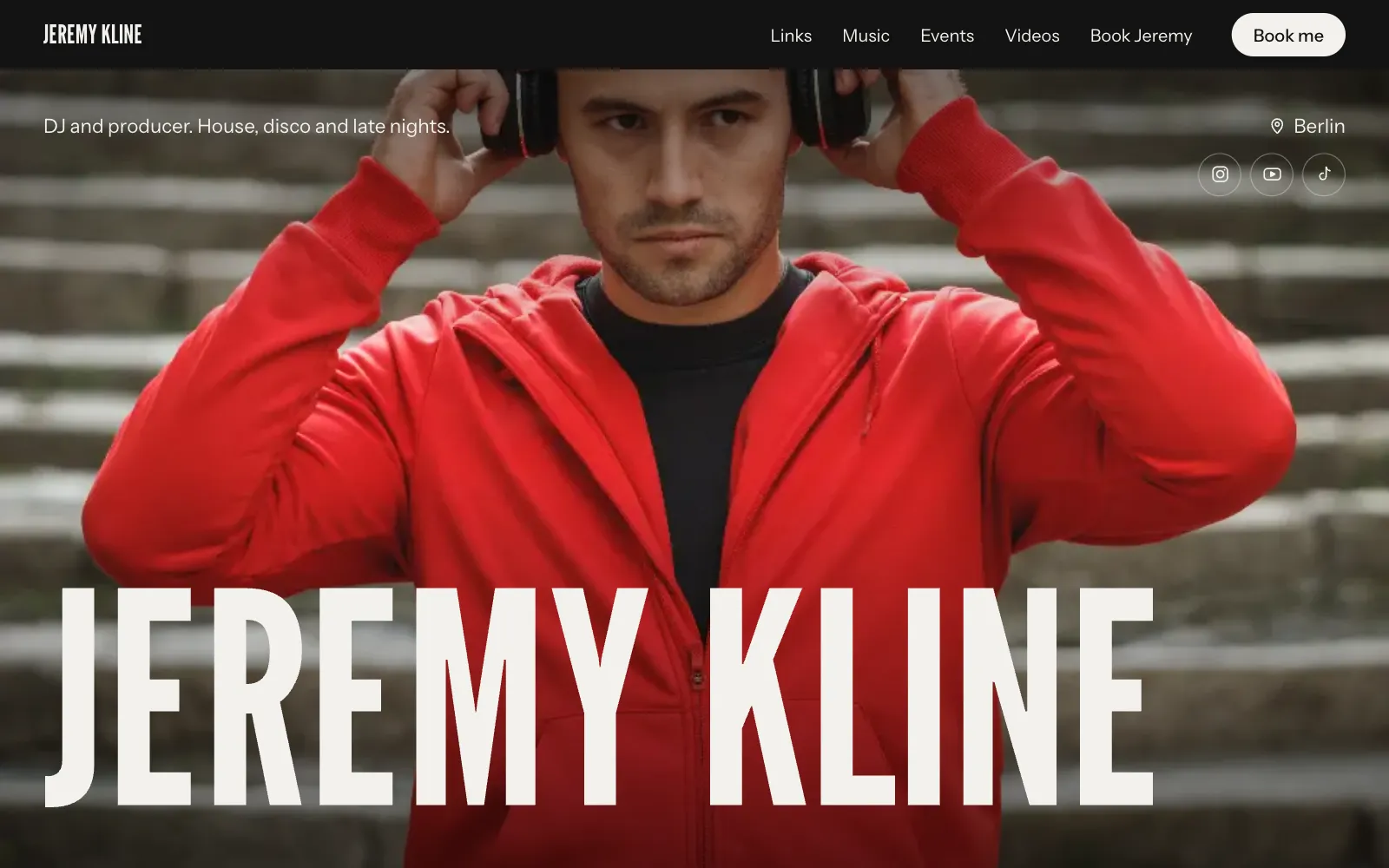
A good press kit page follows the order a promoter thinks in. A layout that works:
- Cover: your best photo, your DJ name, your sound in a few words, and icons for Instagram, YouTube and email.
- Mixes: two or three, playable on the page.
- Upcoming dates: soonest first.
- Bio: short version visible, long version below it.
- Press photos: with credits.
- Selected past gigs: clubs, festivals, residencies.
- Rider basics and booking: at the bottom, where people look for them.
On UniPage, the Music section holds your mixes, Events lists dates soonest first and drops past ones off automatically, and the Booking section is an inquiry form whose messages arrive in your dashboard and by email. You can ask the AI Editor to “add Fabric, London on 14 March” or “write a shorter version of my bio”, and every change can be undone in one tap. The page for DJs and musicians starts with these sections already in place.
Keeping your press kit current
A press kit with last year’s dates and a mix from three seasons ago suggests you are not busy. Make updating it part of your routine:
- Add new dates the day they are confirmed.
- Swap in a new mix whenever you record one you are proud of.
- Refresh press photos at least once a year, or when your look changes.
- Add notable gigs to your past list after you play them.
- Check that your booking contact still reaches the right person.
DJ press kit checklist
Before you send the link, check you have:
- Your DJ name, city and sound in one line at the top
- A short bio (two or three sentences) and a long bio (150 to 250 words)
- Three or more high-resolution press photos, credited, in square and landscape crops
- Two or three recent mixes, labelled by style and length
- Upcoming dates, with past ones removed
- A short list of notable past gigs, residencies or releases
- Rider basics, with the full rider on request
- One clear booking contact: agent, manager or form
- Links to your main social and music profiles
- A check on a phone: every mix plays, every link works
Put the finished link in your Instagram bio, your email signature and every booking reply. For more on turning followers into gigs, read how to get bookings from Instagram.
Questions
- What is a DJ EPK?
- EPK stands for electronic press kit. It is the same thing as a DJ press kit: your bio, press photos, mixes, dates and booking contact in one place that promoters and press can use.
- Should my DJ press kit be a PDF or a website?
- A web page is easier to keep current and plays your mixes directly, so it works best as the main version. A PDF can still help when a festival or agency asks for an attachment.
- How long should a DJ bio be?
- Have two versions: a short one of two or three sentences for flyers and listings, and a longer one of about 150 to 250 words for press and websites.
- What should a DJ rider include?
- At minimum, the equipment you need in the booth (players, mixer, monitors), set length, and any travel or hospitality terms. Keep the basics on your press kit and send the full rider on request.
Make your page with AI, in about a minute.
No sign-up to start. Live free for 7 days, no card. See pages for DJs and musicians.
Make your page